
Most travelers budget for flights, hotels, and food. Almost nobody budgets for the silent leak in their bank account that starts the second they land: international roaming fees.
One forgotten toggle, one background app refreshing push notifications, one Instagram Story loaded over LTE instead of airport Wi-Fi — and you’ve blown through a $20 daily cap before lunch. I learned this the ugly way in Doha three years ago. Six-hour layover. One podcast streamed in 4K by accident. The bill hit $187.
Here’s the short version for the impatient. Data roaming is what happens when your home operator borrows a foreign network to keep your phone alive — and you pay both of them for the favor. The fix is rarely your carrier’s travel pass. It’s almost always a local SIM, a pocket Wi-Fi, or — the option that quietly ate the market — an eSIM you activate before you fly. You can compare eSIM plans here if you want to skip ahead.
Below, the full breakdown: what roaming actually is, how to switch it on and off without ruining yourself, what it really costs in 2026, and how each option compares once you run the numbers.
Table of Contents
- What is data roaming, and why does it cost so much?
- Data, voice, SMS: what’s actually roaming
- How to turn data roaming on or off (iPhone and Android)
- How much does international roaming really cost?
- Which operator is best for international travel?
- All your options compared: roaming vs local SIM vs eSIM vs pocket Wi-Fi
- eSIM vs roaming: which is actually cheaper?
- 7 ways to stop bleeding money on data abroad
- Common mistakes that cost real money
- FAQ
What is data roaming, and why does it cost so much?
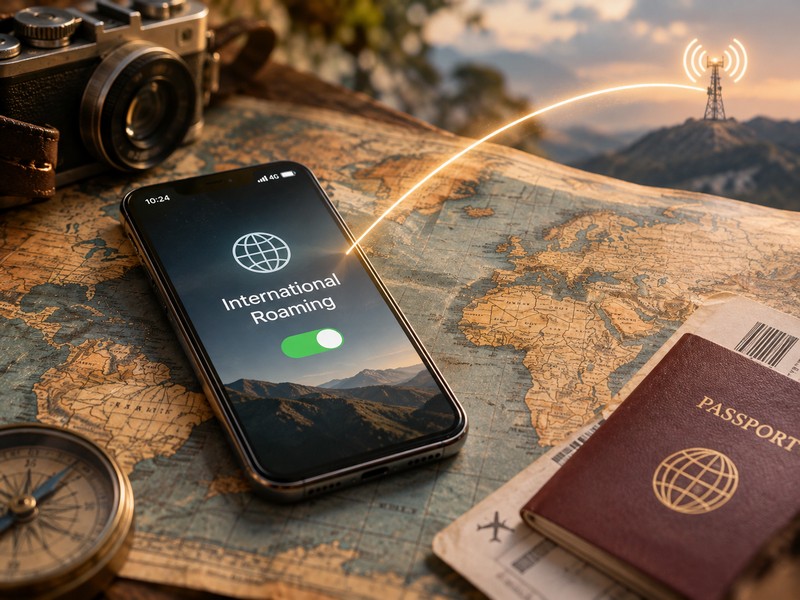
Roaming, in plain English: your phone connects to a network that isn’t yours.
Technically, here’s what happens. Your home carrier — say, Verizon or Vodafone — has agreements with operators in other countries. When you land in Lisbon, your phone pings the nearest tower. That tower belongs to MEO or NOS, not Verizon. They let you on. Verizon promises to pay them. Then Verizon bills you, plus a margin. Sometimes a small margin. Often a spectacular one.
That’s why a megabyte in Berlin can cost more than a gigabyte in Boston. You’re not paying for the data. You’re paying for the paperwork between two telcos, plus whatever markup your carrier thinks you’ll tolerate before you switch.
Data roaming specifically refers to mobile data — the internet part. Voice roaming and SMS are billed separately, usually even worse per unit. Most modern travelers care about data, because WhatsApp, iMessage, and FaceTime eat SMS revenue for breakfast.
Data, voice, SMS: what’s actually roaming
Three things roam. Most people only care about one.
Voice roaming. Receiving and making calls on a foreign network. Still charged per minute on most legacy plans. Useful only if your bank needs to call you about a blocked card.
SMS roaming. Texts. Charged per message. Mostly irrelevant in 2026 except for two-factor authentication codes — and those still arrive even when you disable data roaming, which is the only reason to keep SMS roaming on.
Data roaming. The internet. This is the one that drains accounts. One minute of Instagram on a foreign tower without a plan can cost more than a coffee. Disable it by default. Enable it only when you have a cap, a travel pass, or a local SIM installed.
How to turn data roaming on or off (iPhone and Android)
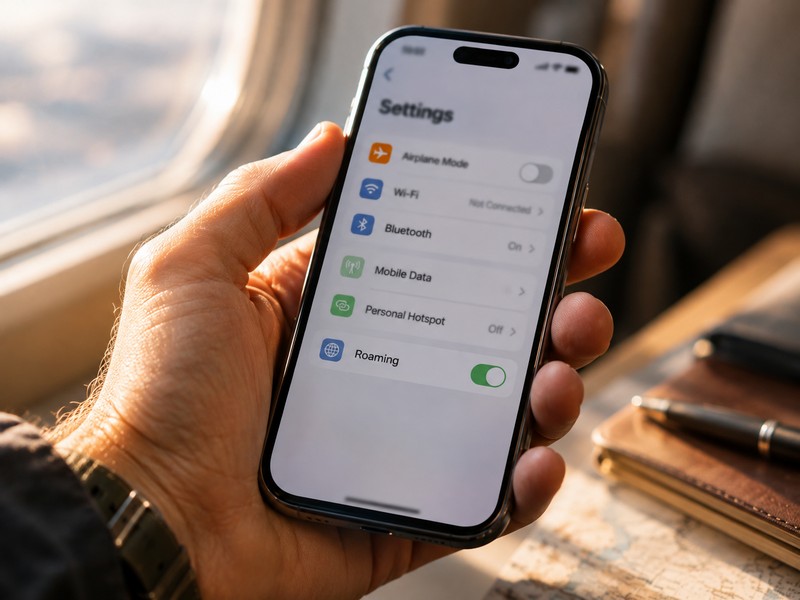
Turning it off is free. Forgetting to turn it off is not.
On iPhone: Settings → Cellular → Cellular Data Options → toggle Data Roaming off. While you’re there, switch off 5G Auto and force the phone to ask before joining networks. iOS will still let you receive calls and SMS — which is what you actually want.
On Android: Settings → Network & Internet → SIMs → toggle Roaming off. Menu names vary by manufacturer (Samsung buries it under Connections, Pixel under Network), but the logic is the same. Some Android builds also have a separate “Data Saver” toggle that throttles background traffic.
The rule I follow: data roaming stays off until I have either (a) a confirmed travel pass with a hard daily cap, or (b) a local SIM or eSIM installed as the active data line. There is no third option worth the risk.
How much does international roaming really cost?
Short answer: too much. Long answer: it depends on your carrier, your plan, and whether you added a travel add-on before you flew.
In 2026, the typical patterns look like this. US carriers push “Travel Pass” or “International Day Pass” products at roughly $10 to $12 per day, capped at a small allotment — often 0.5 to 2 GB of high-speed data, then throttled to speeds that load email and nothing else. European carriers inside the EU still benefit from “Roam Like at Home” rules, but those don’t apply once you leave the bloc. Turkey, Morocco, the UK post-Brexit — all billed at full premium rates.
The math is brutal at the margins. A two-week trip at $12 a day is $168. A local SIM with 20 GB in the same country often runs €10 to €15. An eSIM with 10 GB of regional data, valid 30 days, frequently lands between $15 and $35. Same trip, three very different price tags.
And the “unlimited” travel passes? Almost never truly unlimited. Read the fine print: after 2 GB per day, most plans throttle to 128 kbps. That’s fast enough to load a text-only email and nothing else.
Which operator is best for international travel?
There is no single best operator. There’s only the best operator for your specific route and usage pattern.
The criteria that actually matter:
- Geographic coverage of the travel pass. Verizon’s Travel Pass covers 210+ countries. T-Mobile’s Magenta plan includes slow-but-free data in 215+. The differences only show up when you go off the beaten path — Georgia, Vietnam, Peru.
- Price per day of the add-on. AT&T’s International Day Pass is $12. Visible (Verizon’s prepaid brand) charges nothing in 80+ countries but throttles aggressively. The gap adds up fast on a three-week trip.
- Daily high-speed cap. 0.5 GB, 2 GB, or “unlimited” with throttling. Anything under 1 GB per day is a trap if you use Google Maps or upload photos.
- Activation method. Some passes auto-activate the moment you connect to a foreign tower. Some require a phone call or app toggle before you fly. Some charge you even on days you don’t use data.
If you travel more than four times a year, the cheapest operator is rarely the one with the lowest domestic rate. It’s the one whose travel add-on you actually use without thinking — because the cognitive cost of managing a dozen SIM swaps is real.
All your options compared: roaming vs local SIM vs eSIM vs pocket Wi-Fi
| Option | Setup time | Typical cost (2 weeks) | Keep your number? | Best for |
|---|---|---|---|---|
| Carrier roaming pass | 0 min (auto) | $140–$170 | Yes | Short business trips where you must be reachable on your number |
| Local SIM (destination) | 20–40 min | $10–$25 | Dual-SIM only | Long stays, budget travelers, countries with cheap prepaid data |
| eSIM (regional plan) | 5 min, before flight | $15–$35 | Yes (dual-SIM) | Most leisure travelers, multi-country trips, anyone who hates airport SIM kiosks |
| Pocket Wi-Fi | Pickup at airport | $70–$120 | Yes | Families or groups sharing one data pool |
| Airport / hotel Wi-Fi only | 0 min | $0 | Yes | City breakers who don’t need maps or translations on the move |
No option wins everywhere. The smart move is matching the option to the trip.
eSIM vs roaming: which is actually cheaper?
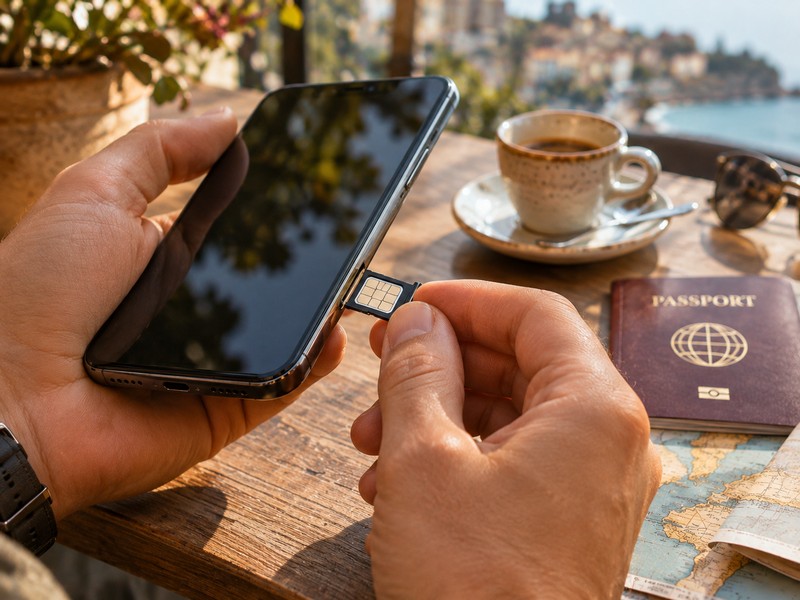
For most leisure travelers in 2026, the math points one direction.
Here’s the honest comparison. A two-week trip to Europe with a US carrier travel pass: roughly $168. The same trip with a regional eSIM that covers 30+ countries: about $25 for 10 GB, often less. You keep your home number active for calls and 2FA codes via dual-SIM, and the eSIM handles all data. Same phone, same signal, one-tenth the cost.
The catches? Three of them, and they matter.
First, your phone must support eSIM. iPhone XS and newer, most recent Pixels, Samsung Galaxy S20 and newer, and most 2023+ flagships do. Older or budget Androids often don’t. Check before you fly.
Second, eSIMs are data-only in most regional plans. Calls and texts go over WhatsApp or FaceTime. If your bank insists on SMS 2FA, you’ll need to keep your home SIM in a slot — easy on dual-SIM phones, awkward on single-SIM iPhones.
Third, customer support. A US carrier will refund a roaming mistake if you complain. An eSIM provider is harder to chase. Read reviews before buying, and pick a provider that actually responds on Trustpilot.
If the trade-offs work for your trip, you can compare eSIM plans for your destination here and have a data line active before the plane doors close.
7 ways to stop bleeding money on data abroad
- Download offline maps before you fly. Google Maps, Maps.me, Apple Maps all support offline regions. A 500 MB download at home is free. The same 500 MB on a foreign tower is a $20 mistake.
- Force “Wi-Fi only” for app updates. iOS and Android both have this setting. Use it. App stores happily pull 2 GB updates over LTE if you let them.
- Disable background app refresh. Settings → General → Background App Refresh (iOS) or Settings → Network & Internet → Data Saver (Android). Most apps don’t need to refresh when you’re not looking at them.
- Switch to Airplane Mode + Wi-Fi as your default state. Re-enable cellular only when you genuinely need it. This single habit has saved me more money than every other tip combined.
- Preload playlists, podcasts, and Netflix episodes. Streaming is the single biggest data hog. Download at home, watch on the plane, ignore the hotel TV.
- Use a VPN only on trusted Wi-Fi. Free airport Wi-Fi is sketchy, but a VPN on cellular data multiplies your data usage. Pick one or the other.
- Set a data cap and a usage alert. iOS and Android both let you set hard limits. When you hit 80%, you get a warning. When you hit 100%, data cuts off. Better an awkward “no signal” than an awkward bill.
Common mistakes that cost real money
Most roaming disasters come from the same five mistakes. I’ve made four of them.
- Forgetting to disable data roaming on a layover. A two-hour stop in Dubai can cost $40 if your phone finds a tower before you find the lounge.
- Trusting “unlimited” without reading the throttle. 128 kbps is not internet. It’s a punishment.
- Letting Apple’s iMessage fall back to SMS. When iMessage can’t reach Apple’s servers, it sends as a paid SMS, especially to non-iPhone recipients. Force-disable “Send as SMS” abroad.
- Assuming your travel pass covers every country. It almost certainly doesn’t. Check the country list before every trip, not just the first one.
- Buying a SIM at the airport. Airport kiosks charge 3–5x what city-center shops charge. Walk 15 minutes into town first.
Why Banks Are Losing the Battle for Young Investors’ Dollar Savings
FAQ
Do I need to turn on data roaming to use mobile data abroad?
Yes. Data roaming is the toggle that lets your phone pull internet through a foreign tower. Without it on, your phone shows signal bars but no data. The catch: turning it on without a plan or local SIM installed is what produces the legendary $200 phone bills. Always pair “data roaming on” with either a confirmed travel pass or an installed eSIM or local SIM.
What is data roaming and how does it work?
Data roaming is when your phone uses mobile internet through a network that isn’t your home carrier. Your carrier has billing agreements with foreign operators, and you pay a markup on top of what your carrier pays them. Inside the EU, “Roam Like at Home” rules cap this for EU residents. Everywhere else, you pay full freight unless you have a travel pass or alternative SIM. Comparing regional eSIM plans here is usually the fastest way to see what you’d actually pay.
How much does international roaming cost per day?
Most US carriers charge $10 to $12 per day for a travel pass with 0.5 to 2 GB of high-speed data, then throttle. Without a pass, pay-per-use rates run $2 to $5 per MB — yes, per megabyte — which is how a few minutes of accidental data use can hit $100. European carriers inside the EU are cheaper, but step outside the bloc and rates spike sharply.
Which is better: eSIM or roaming?
For most leisure travelers, eSIM wins on cost — a regional plan with 10 GB often costs $20 to $35 versus $140 to $170 for two weeks of carrier roaming. Roaming wins on convenience and number retention for short business trips. If your phone supports eSIM and you don’t need to make local calls, eSIM is usually the smarter financial move.
Which operator is best for international travel?
It depends on your route. T-Mobile Magenta includes slow free data in 215+ countries, which is unbeatable for light users. Verizon and AT&T travel passes are reliable but pricey. Google Fi has a strong international following but has tightened its rules. Frequent travelers should compare the per-day cost, the high-speed cap, and the country list — in that order.
The Bottom Line

Roaming fees are a tax on the unprepared. They’re also entirely avoidable in 2026.
The strategy doesn’t change: keep your home SIM for calls and 2FA, route all data through either a regional eSIM or a local SIM, and treat carrier travel passes as a last resort for short business trips. Two minutes of prep before takeoff saves most travelers $100+ per trip. Compounded across a year of travel, that’s a real number.
If you want to dig deeper, our weekly briefing covers hidden costs, smart money moves, and the financial news that actually matters. Subscribe and we’ll keep you ahead of the next quietly expensive trap.
Updated: November 2026. Some links in this article may earn us a small commission. This never affects our ratings or the price you pay.